
SiO created the Mitt SiO app in 2017. The development has led to all the features available in the app also being accessible on our website, and therefore we will not further develop the features in the Mitt SiO app after 2024. You can continue to use the app, but we recommend bookmarking sio.no on your phone instead.
How do I add SiO as a bookmark on my iPhone screen?
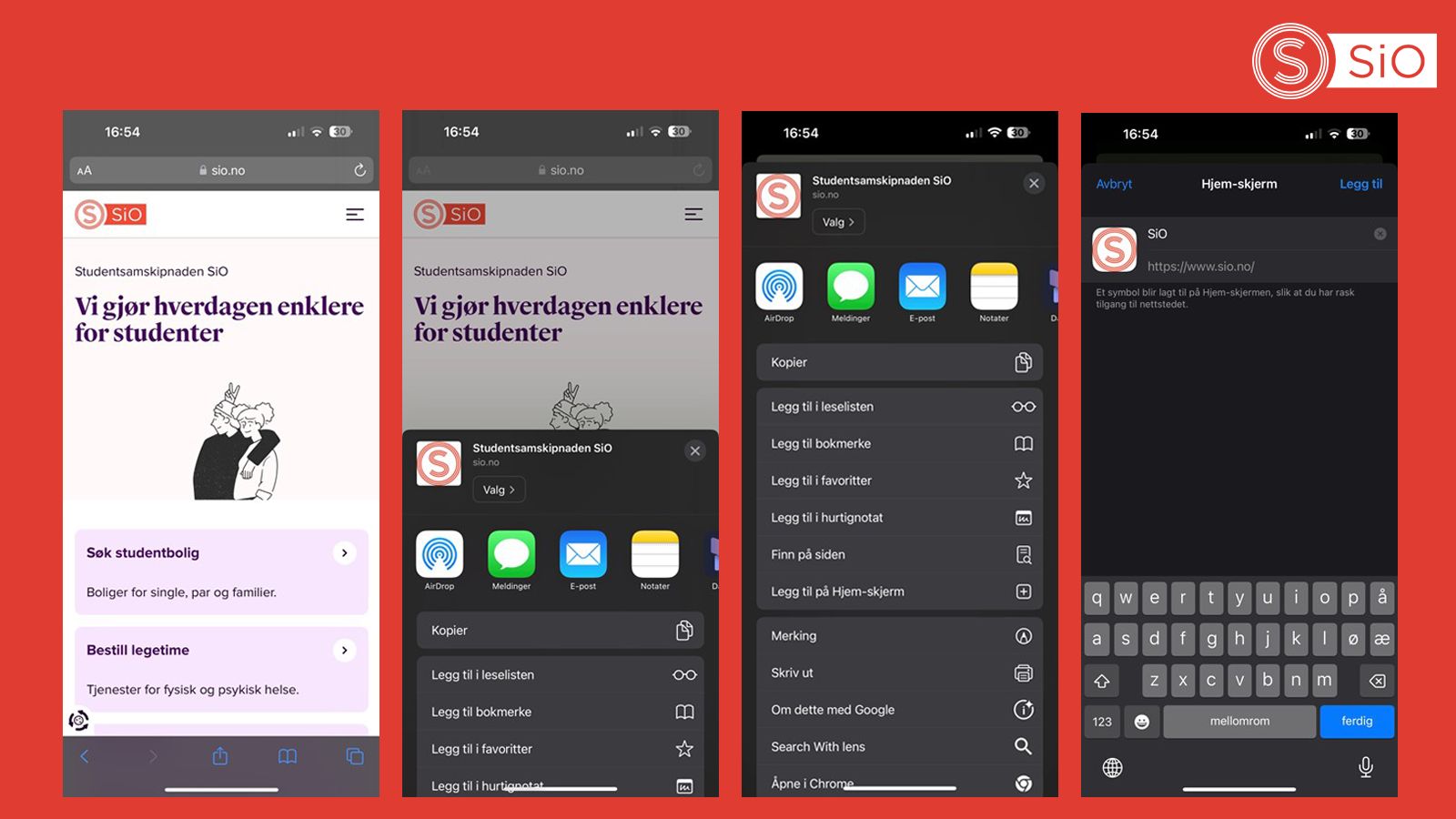
1. Find the bookmark icon on your phone. It is usually at the top or bottom, in the middle, and looks like a small envelope with an arrow. Tap the icon.
2. Scroll down until you see a plus sign inside a square. It should say: Add to Home Screen. Tap this.
3. You will then see a screen that says Add to Home Screen. Tap Add.
4. You can now find SiO as an icon on your screen.
How do I add SiO as a bookmark on my Android screen?
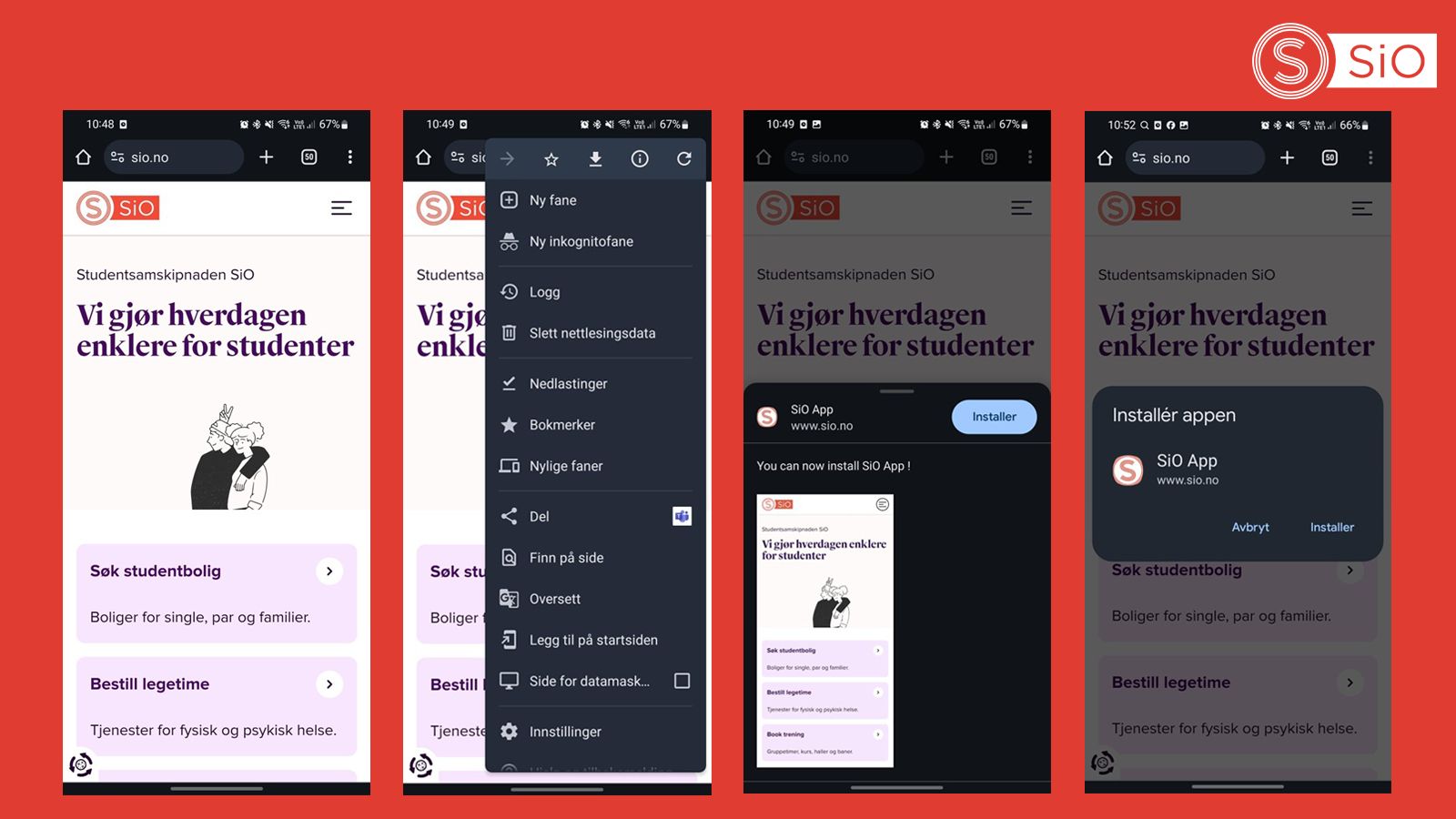
1. Tap the three dots in the top right corner.
2. Scroll down until you see a folder with a right arrow that says Add to Home screen. Tap this.
3. A screen will appear that says SiO App. Tap Install.
4. You can now find SiO as an icon on your home screen.